Economy
Research and work queues
Unlock technologies and keep ordered research and production jobs moving.
Reviewed
Non-unit research tree selection and correct infantry mobile weapon headings require the updated client; publication is pending. This guide follows the current client. Available actions depend on your empire, permissions and the release running in your world.
Choose your research
Open Economy → Research. Available Research lists technologies and worker assignments. Filter the catalogue, inspect the technology tree and check the selected project's prerequisites. Assign workers directly and select Update Workers, or create an ordered queue.
Explore the technology tree
After the updated client is published, the technology tree selector includes unfinished non-unit technologies as well as mechs, vehicles and infantry. Select a technology to see its prerequisites, including completed prerequisites. Use Sort By to order the selector.
View Unit Details is available for mech, vehicle and infantry research. Non-unit technologies still show their prerequisites but have no unit-details action. Infantry weapon columns show Range, Rolls and Damage on phones as well as larger screens after the updated client.
Create a research queue
- In Research Queues, enter a name.
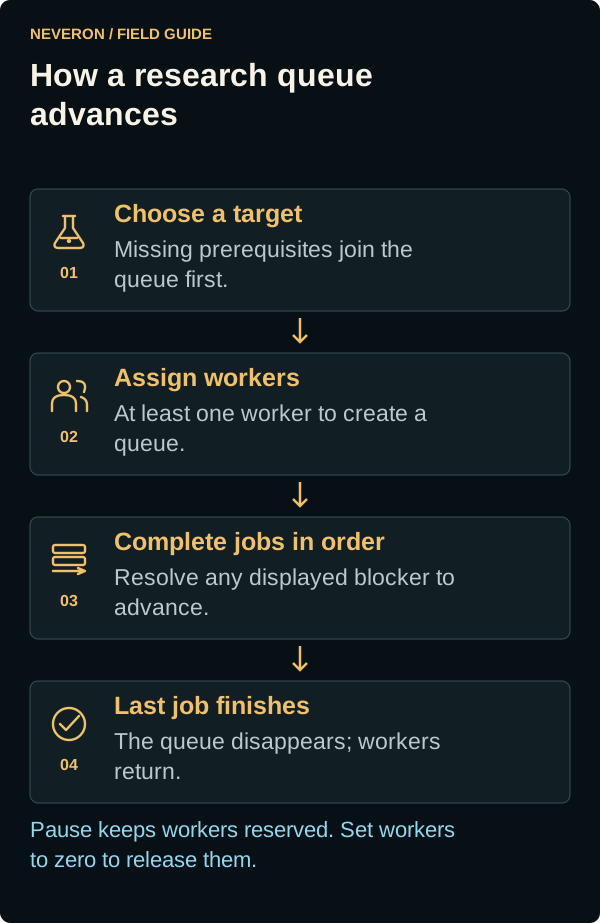
- Select available research or an unavailable target. The preview adds its missing prerequisites in order, with shared prerequisites listed once.
- Assign at least one available worker and create the queue.
- Expand its row to inspect jobs, change workers, add research or use Move Up and Move Down.
The catalogue and queue panels sit beside each other on wide screens and stack on phones. Expand queues in their panel to reach the editing controls.
Workers, pauses and completion
Select Current Research in the Available Research filter to see staffed projects. When a queue starts its next project, this list refreshes automatically with the new project and its assigned workers. Expand the queue to check its current research and waiting jobs.
A queue keeps its work in order. A blocked job needs its displayed prerequisite or resource shortage resolved before it can advance. Setting an existing queue to zero workers preserves its progress. Pausing a queue with unfinished jobs keeps its workers reserved; release them explicitly if you need them elsewhere.
Once all jobs finish or are removed, the queue disappears automatically and returns its workers to the available pool. A deliberately blank queue can remain: use Remove Queue when it has no unfinished jobs and no workers. Each kind supports up to 20 queues; clear unused ones when you reach the limit.
Research completions appear in a notification with the finished names and an Open Research action. Completed research remains unlocked after its queue disappears.
Manufacturing uses the same queue controls
On Manufacturing, choose a product, finite quantity and at least one worker when creating a queue. Expand a queue to manage duplicate or waiting jobs. Removing waiting work and cancelling started production have different consequences: cancellation discards unfinished progress and consumed materials while keeping already completed output.
Changed or rejected edits
If another update changes a queue while you are editing, refresh and review the current state before resubmitting. Unsent fields are retained where possible. Check the worker totals after saving rather than assuming an unsaved allocation has taken effect.